|
HilVert
1v2
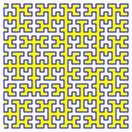
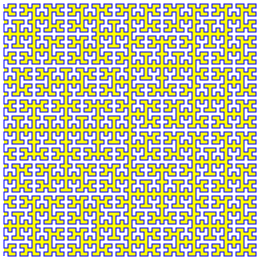
A demo of the Hilbert Curve in SVG.
|
|
HilVert
1v2
A demo of the Hilbert Curve in SVG.
|
#include "HilVert.hpp"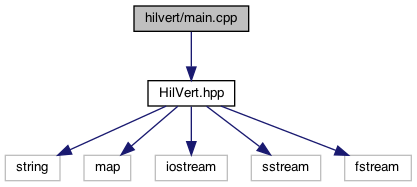
Go to the source code of this file.
Functions | |
| int | main (int argc, const char *argv[]) |
| Entry point for the HilVert application. More... | |
| int main | ( | int | argc, |
| const char * | argv[] | ||
| ) |
NAME
SYNOPSIS
HilVert [curvOrd [hdng [rotn [ofs]]]]
DESCRIPTION
where
curvOrd is an integer between 1 and 12. It specifies the order of the HC, 1 being the simplest with 3 line segments and 12 the most complex with 16,777,215 segments (but see HilVert::sgmnt()). The default is 1 .
hdng takes one of four values: down, right up, or left. The hdng parameter specifies the position occupied by the end point of the HC in relation to its begining. Looked at another way, hdng says that the entire HC is to be rotated by (respectively) 0, 90, 180 or 270 degrees from the orientation using down for hdng (the default). However, do not confuse this with rotn which specifies the order in which the path segments are drawn, and along which the animation proceeds.
rotn is either clockwise or anticlock . This specifies the overall direction of rotation used to draw the HC. The default is clockwise . If anticlock is substituted then the HC appears as a reflection of the clockwise case (the default), but the start and finish points retain their relative positions as specified by hdng.
ofs is an output file that will hold the generated SVG code. The default is cout.
EXAMPLES
When HilVert is invoked from the shell prompt like this -
% ./HilVert
then you will see -
which is the SVG for a first order, downwards & clockwise HC, that you can download from -
http://www.clarcana.info/proj/HilVert/example/h01dc.svg
Likewise the following examples -
When rotn is changed to -
%./HilVert 1 down anticlock
then the path string becomes -
d = "M8,4 h-4 v4 h4"
which renders as a reflection of h01dc (and not a 180 degree rotation) because the animation remains downnwards.
%./HilVert 1 up clockwise
d = "M8,8 h-4 v-4 h4"
which is identical in form to example 2, but the animation runs the opposite way.
If instead you say -
%./HilVert 1 down clockwise h01dc.svg
then the curve will be written to a new file h01dc.svg. Point any browser at this file and you should see the the first-order HC.
If you invoke HilVert thus -
%./HilVert 2 down clockwise h02dc.svg
then you will get a file h02dc.svg showing a second-order HC.
Similarly for third, fourth, fifth, and sixth, order curves.
| argc | The number of arguments passed to HilVert from the command line. Will be between 1 (all defaults) and 5 (everything up to and including the output file. |
| argv | The strings representing the arguments themselves. |
About all that this main() does is to pass argc & argv onto HilVert::cmndLn(), and to report back HilVert's reaction to same.
EXIT STATUS
0 in the case that no error occurred or 1 if there was a problem.SEE ALSO
HilVert::HilVert(), HilVert::draw(), HilVert::grfc().
STANDARDS
The HilVert application conforms to SVG 1.1. Almost.
BUGS
There is no catch block, so exceptions (e.g. from file I/O) will be uncaught. Add one, should you wish.
Some compilers will issue warnings about my use of the comma operator. Add parentheses to silence them if it annoys you.
There is something wrong with the file handling. I'm unsure what the fix should be.
 1.8.20